


HDMI Extender Over CAT5/6/IP 1080P Receiver
CCTVMuleWrite a Review
CCTVMule
HDMI Extender Over CAT5/6/IP 1080P Receiver
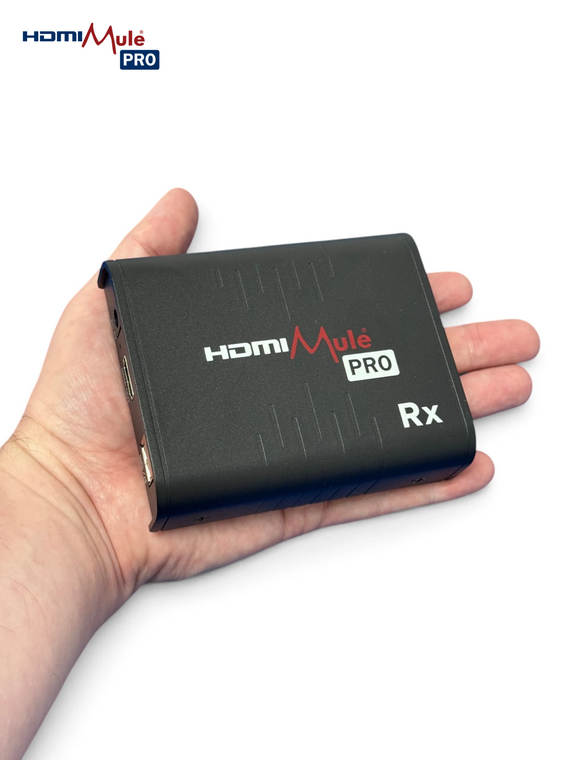
HDMI Mule Pro Receiver Unit
- Plug & Play – Zero Configuration
- CAT5 & CAT6 Compatible
- Mouse, Keyboard & Touchscreen Control of a Remote DVR/NVR or PC
- Add Extra Screens – Up to 256 Receivers per Transmitter
Free App to Select Which Transmitter is Displayed
Note: Adding a HDMI Mule Pro gives you "Keyboard, Video & Mouse" control up to 120m over CAT5/5E/6 or across your LAN. Note: This is a receiver unit and needs to be paired with a HDM262 transmitter to function. Not compatible with the older HDM220/HDM216/HDM217 range.
This is the RX receiver which pairs with the HDM262 TX transmitter – alternatively you can purchase a TX and RX pair using the code HDM260.
The receiver is the display end of the HDMI Mule Pro system. Connect it to a monitor or TV via HDMI, plug in a network cable, and it displays the video from a HDMI Mule Pro transmitter elsewhere on the cable run or network – letting you view and control a DVR, NVR or PC that's locked safely away in another room.
The most common reason to buy this receiver on its own is to add extra screens to an existing HDMI Mule Pro system. A single transmitter can feed multiple receivers, with every screen showing the same video source at the same time – up to 256 receivers are supported – ideal for putting the same NVR output in reception, the office and the warehouse.
Connection is flexible: link the receiver directly to a transmitter with a single ethernet cable (no switch needed), or connect both through a network switch – the most popular method, giving up to twice the distance of a direct link. Expect approximately 80m over CAT5, 100m over CAT5E and up to 120m over CAT6.
With a single transmitter on the network there's nothing to configure – plug in and the link is made automatically. Where multiple transmitters exist, the free HDMI Mule Pro app (Android & iOS) lets you choose which source this receiver displays – simply drag the transmitter icon onto the receiver on your phone screen. Receivers can be given friendly names in the app (e.g. "Showroom TV"), retained through power cycles.
USB ports on the receiver carry mouse, keyboard and touchscreen control back to the source, so a receiver by a reception desk gives full hands-on control of the recorder in the server room.
Network tip: On busier networks use a Gigabit switch with IGMP multicast support to prevent flooding – e.g. the Netgear GS305E, which has IGMP enabled by default.
Please note: The HDM260 range replaces the HDM220 range and is not backwards compatible – this receiver will not work with HDM217/HDM220 transmitters. It can be mixed with the 4K HDM270 range, with resolution limited to 1080p
- Device:
- Extender
- Type:
- HDMI
- Device:
- Converter